What's New
We've shipped a significant update to imagesizefinder.com. Here's a rundown of everything that's changed.
New Image Analysis Attributes
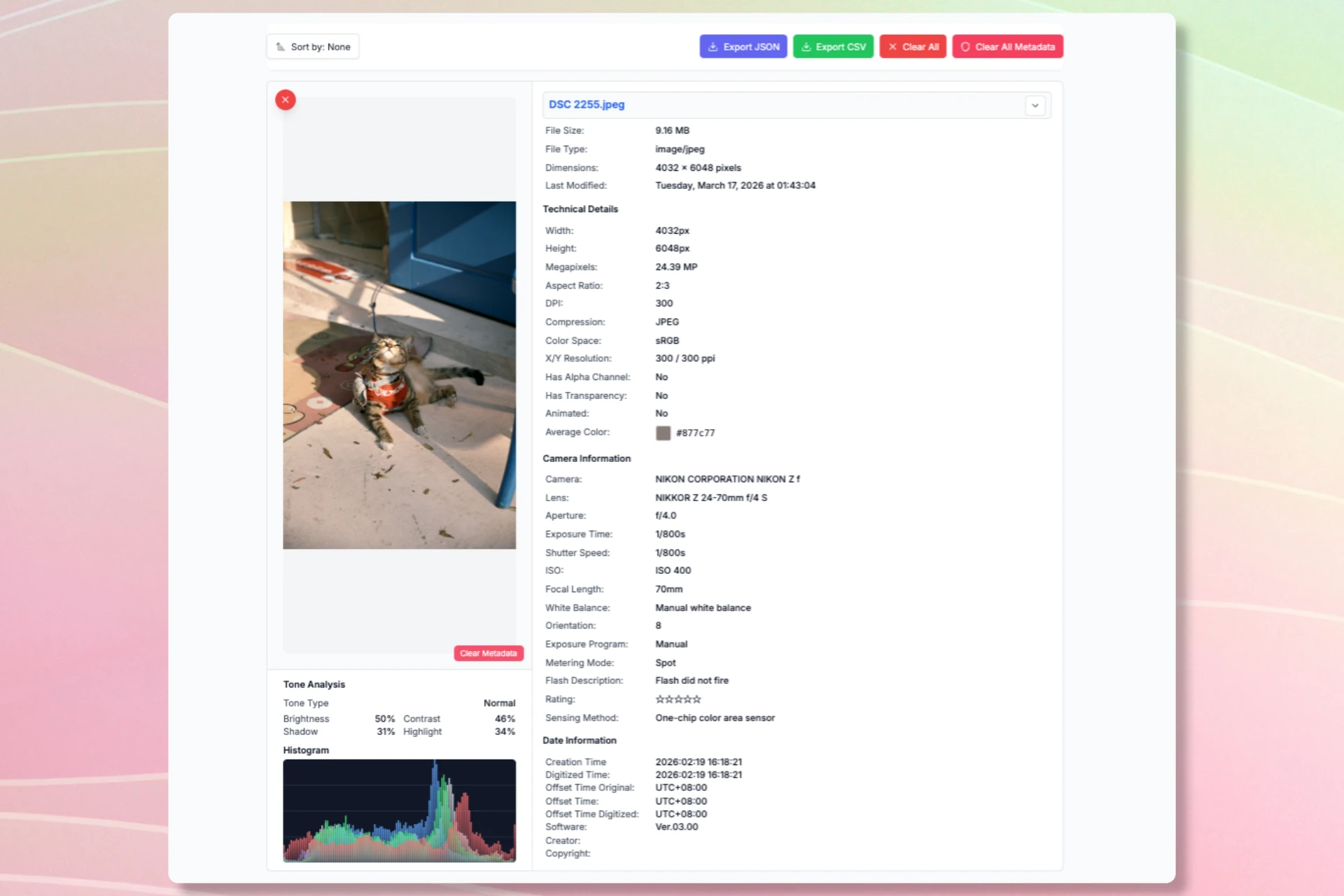
Tone Analysis
Every uploaded image now includes a tone analysis panel showing:
- Tone type — low-key, normal, high-key, or high-contrast
- Brightness — average luminance as a percentage
- Contrast — standard deviation of luminance
- Shadow ratio — percentage of pixels in the shadow range
- Highlight ratio — percentage of pixels in the highlight range
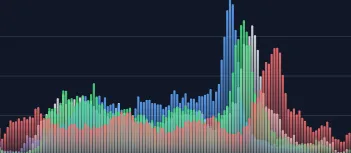
Histogram
A visual RGB + luminance histogram (128 bins) is rendered directly on the image card. The dark-background histogram makes it easy to read colour distribution at a glance.
Timezone Offsets
Three new timezone fields are now extracted from EXIF:
OffsetTimeOriginal— timezone at capture timeOffsetTime— general timezone offsetOffsetTimeDigitized— timezone when digitized
All three are displayed as UTC±HH:MM.
Camera Recipes
Fuji Film Simulation — 17 fields extracted from Fuji maker notes, including film mode, dynamic range, colour chrome effect, grain, saturation, sharpness, and white balance fine-tune.
Sony Creative Style — 4 fields including creative style, picture effect, HDR, and soft skin effect.
Other New Fields
- Lens make, sensing method, flash metering mode
- White balance shifts (A-B and G-M axes), white balance bias
- Star rating (0–5 stars)
- Digital source type and file type
Image Metadata Remover
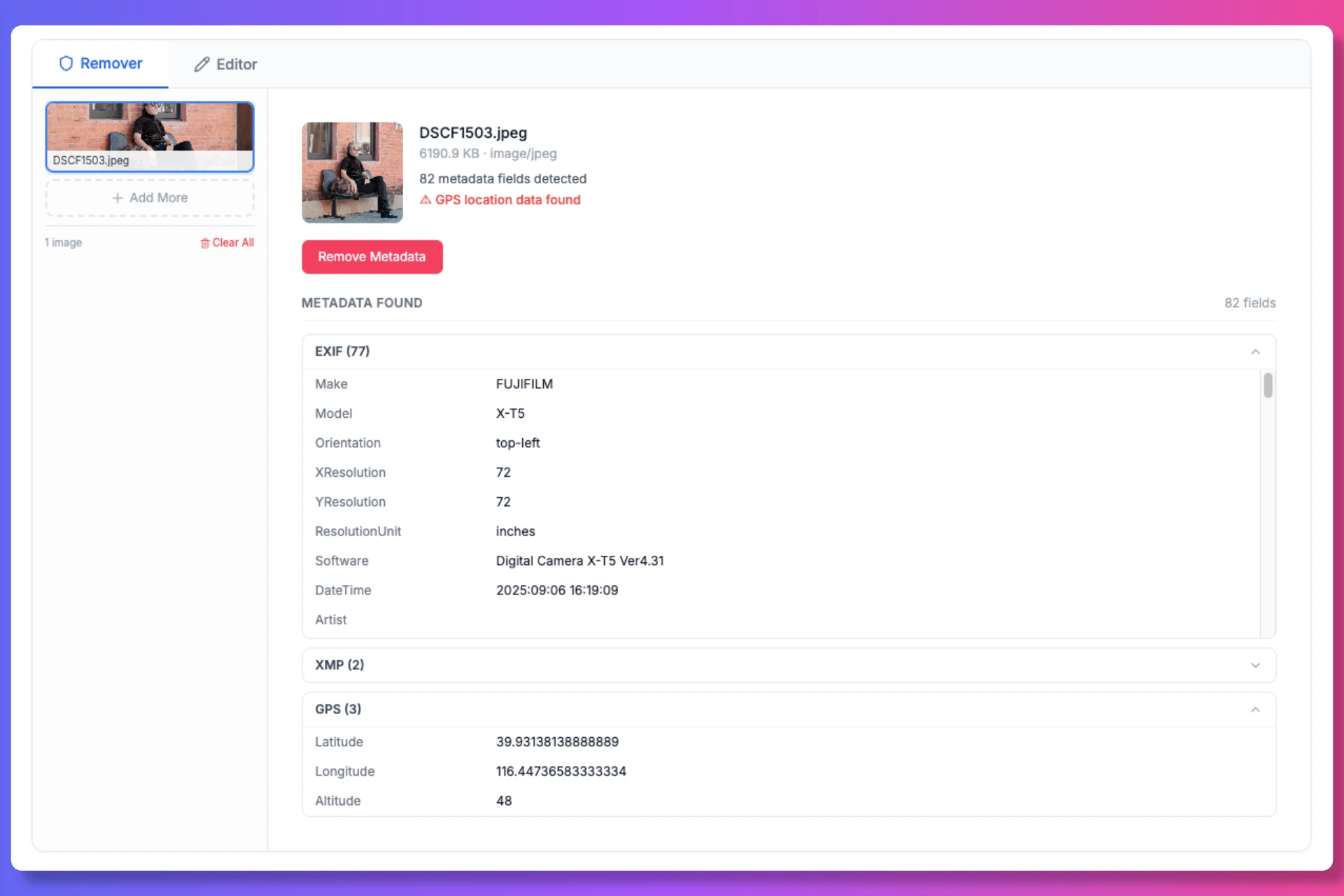
Sharing a photo online but worried about GPS location or camera fingerprinting? The Image Metadata Remover strips EXIF, GPS, IPTC, XMP, and embedded thumbnails from your images — all processed 100% in the browser, no upload required.
ICC color profiles are preserved so your images display with accurate colors after cleaning.
JPEG files are processed losslessly using piexifjs — metadata is removed without re-encoding, so pixel quality remains bit-for-bit identical. Other formats (PNG, WebP, AVIF, etc.) are re-rendered via Canvas API.
How to use:
- Upload your images
- Review detected metadata — GPS, camera info, edit history, and more
- Click Remove & Download on any image, or batch-process all at once
- Download clean files individually or as a ZIP archive
Metadata Editor
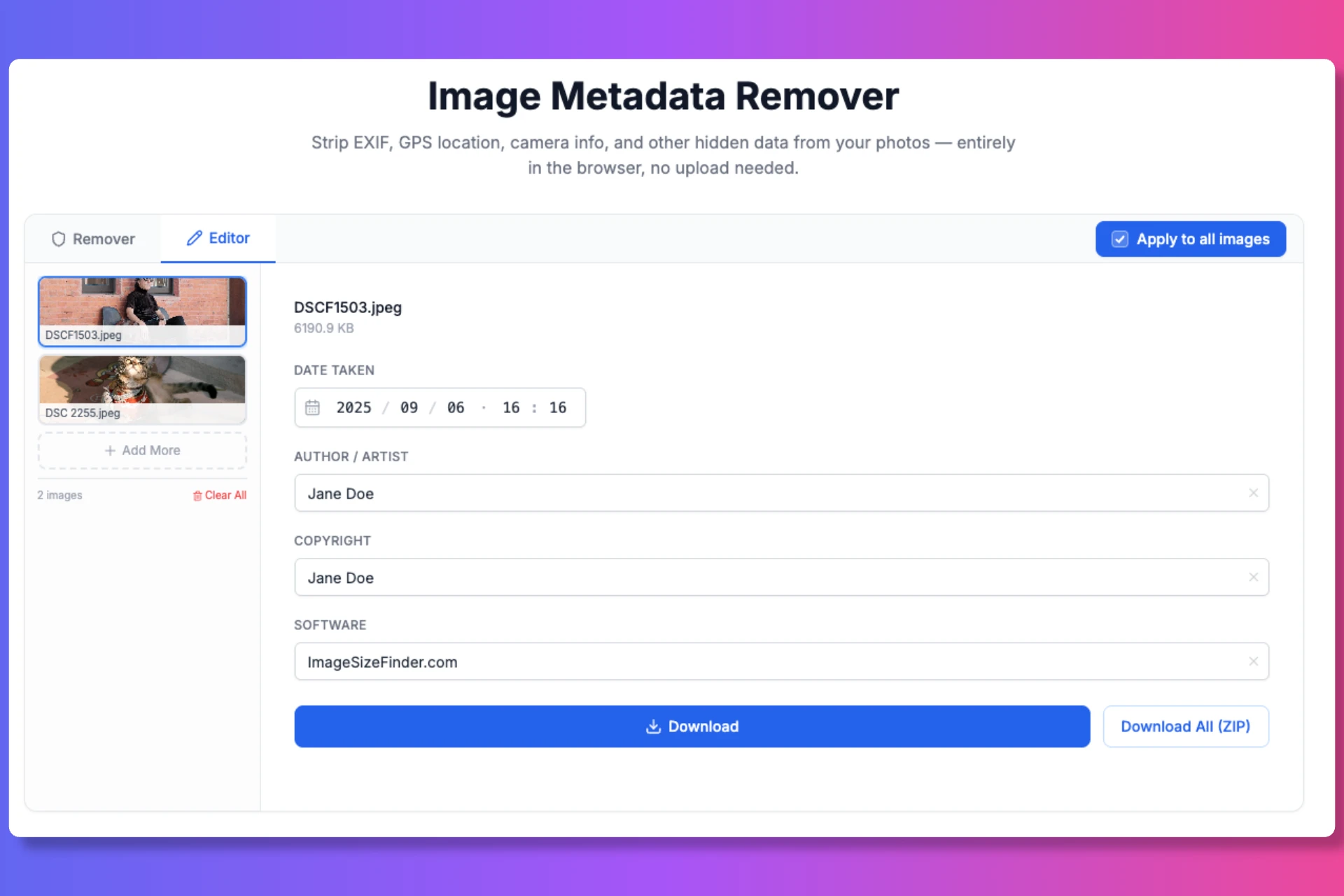
Need to stamp copyright or correct a wrong capture date across a batch of photos? The Metadata Editor lets you:
- Edit Date Taken with a unified date-time picker (YYYY/MM/DD · HH:MM) — Digitized Time is automatically synced
- Edit Artist, Copyright, and Software fields
- Clear any field instantly with the inline clear button
- Apply to all images is enabled by default — toggle it off to edit individual files
- Download individually or as a ZIP archive
The editor writes fields back into the JPEG EXIF segment using piexifjs — entirely in your browser, no server involved.
How It Works
The tool follows a simple 4-step workflow:
| Step | Action |
|---|---|
| 1 | Upload Images — drag & drop, browse, or paste from clipboard |
| 2 | Review & Remove Metadata — inspect all detected metadata and strip it |
| 3 | Or Edit Metadata — modify EXIF fields like date, author, copyright |
| 4 | Download Clean Files — save individually or batch-download as ZIP |
Feedback
Have a feature request or spotted a bug? Contact us — we'd love to hear from you.