01
The 2MB target is set
This page opens with the maximum file size already fixed at 2MB, so there is nothing to configure.
Bring big camera images under a 2MB attachment/upload cap. Fast, 100% private, and processed directly in your browser with zero server uploads.
Output is optimized JPG. Transparent areas are placed on white.
Drop images here, or click to choose files
Rate this tool
(0 ratings)
2MB is the range email clients and file-sharing portals typically allow. At this limit a large camera image loses several megabytes of JPEG overhead while keeping its full resolution and most of its detail, because the tool only reduces dimensions when the quality search cannot reach the target on its own. Nothing is uploaded — the whole loop runs on your device.
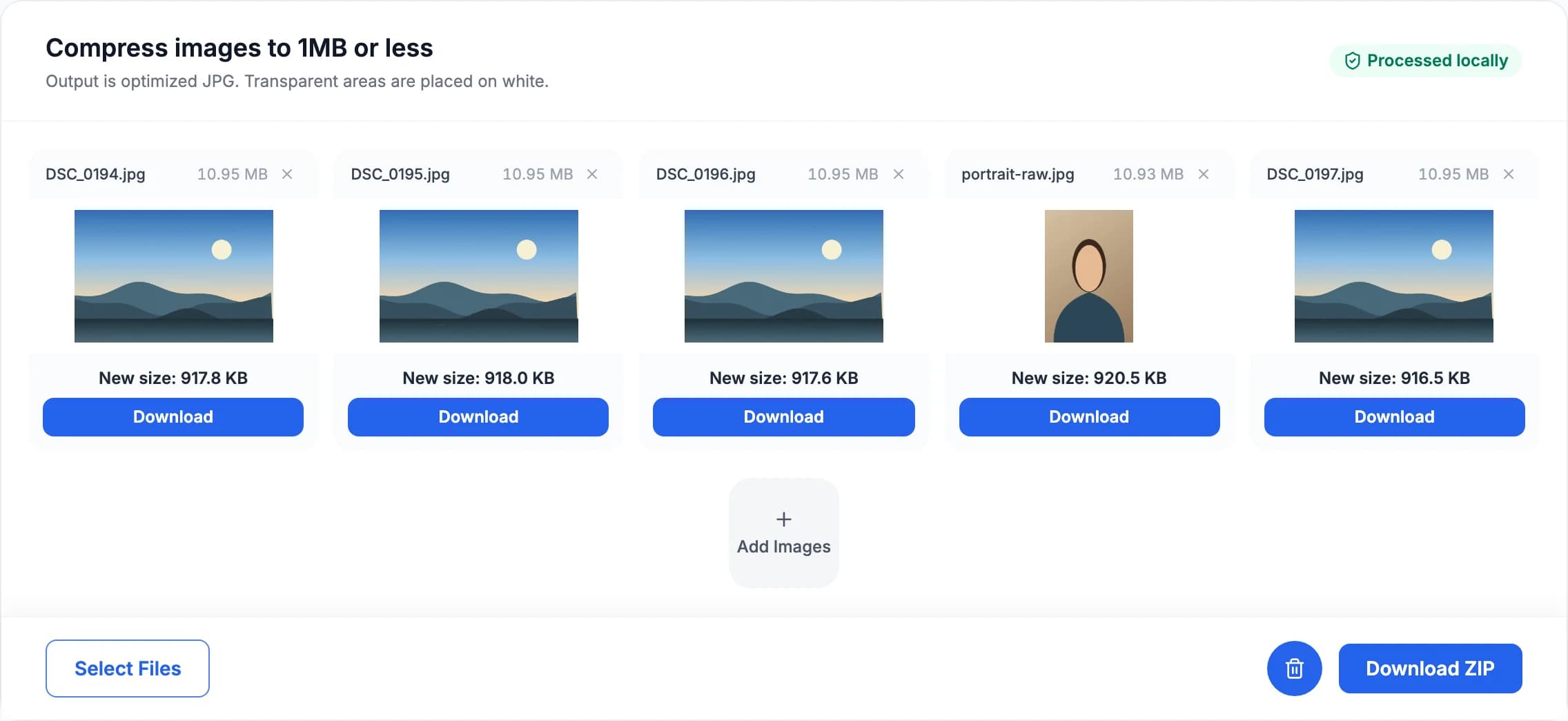
Large-photo workflow: full-resolution camera files of 10MB and up brought under 2MB each, keeping their dimensions and exporting as a single ZIP.
Decoded directly via the browser’s hardware-accelerated image pipeline into raw pixels.
The browser’s fast encoder brackets the quality, then MozJPEG refines it — interpolating from each measured size until the file sits just under 2MB.
Optimized JPG at or under the limit, with before/after size, pixel dimensions and reduction shown per file.
End-to-end local architecture: files are processed strictly within your device’s memory and never leave your computer or phone.
For the full walkthrough — why the budget decides the resolution, how MozJPEG buys back a quarter of it, and why quality alone is the wrong dial to turn — read How the Image Compressor works.
Compress your files in three simple steps directly in your browser:
This page opens with the maximum file size already fixed at 2MB, so there is nothing to configure.
Drop a single image or a whole batch. The quality search starts immediately, locally, without uploading the files.
Review the output size, pixel dimensions and reduction percentage, then save individual JPG files or the whole batch as a ZIP.
Hit the limit your form asks for without handing the photo to a cloud service first.
Your photo is decoded, re-encoded and resized inside this browser tab’s memory. No file is sent to a remote server — which matters most for exactly the documents that carry upload limits: ID photos, passport scans and signatures.
Rather than applying one fixed quality, the tool first works out how many pixels 2MB can afford — a photo squeezed into a budget too small for its resolution comes back blocky, so resolution is part of the budget, not separate from it. It then searches for the highest MozJPEG quality that still lands under 2MB, which is 25-30% higher than the browser’s own encoder could hold at the same file size.
Drop a whole folder and every image is compressed to the same 2MB cap, each with its own before/after readout. Save them one at a time or pack the finished batch into a single ZIP, assembled in browser memory.
After checking an image, choose a tool for the change you need. Each tool has a different purpose.
Change the image file format, such as PNG to JPG or WebP. This is different from converting pixels to print units.
Change pixel width and height for a website, print layout or social media preset. Enlarging an image does not restore missing detail.
Need to strip or edit EXIF before sharing? Open Metadata Remover to remove GPS, camera data and other hidden fields.
Check pixel width, height, megapixels and aspect ratio instantly for one image or a full batch.
A different form, a different limit — each size has its own ready-to-use page.
Drop your image into the tool above. It automatically lowers the JPG quality (and resizes if needed) until the file is 2MB or smaller, then you download it. Everything runs in your browser — nothing is uploaded.
Yes — no signup and no watermark. Processing capacity depends on your device and browser.
Many forms cap upload size — exam and visa portals, job applications, government sites and email attachments. Bring big camera images under a 2MB attachment/upload cap.
The tool keeps quality as high as possible while hitting the size target. For very small targets on large photos it will also reduce the dimensions so the result stays clean rather than blocky.
Yes. Drop a batch and every file is compressed to the same 2MB limit. Download them individually or all together as a single ZIP archive.
An optimized JPG. JPEG has no alpha channel, so transparent areas in a PNG or WebP source are placed on white. EXIF and GPS metadata are dropped because the file is re-encoded from raw pixels.
Fast, 100% private, and completely free in-browser compressor. Drop your images and download optimized JPG files under 2MB in seconds.