01
Choose a preset
Select your target platform and asset. The image resizer automatically loads standard pixel dimensions and aspect ratios.
Resize images to custom pixel dimensions or popular social media presets. Fast, private batch processing locally in your browser with a preview of the result.
Crop, scale, and export in PNG (lossless), JPG, or WebP
Drop images here, or click to choose files
The same source image is center-cropped to the selected output size.
Resizing is averaging: turning source pixels into new target dimensions without quality loss. This browser-based resizer decodes 11 input formats — including iPhone HEIC and scanner TIFF — resamples with precision in linear light, and exports clean PNG, JPG or WebP directly inside your browser tab.
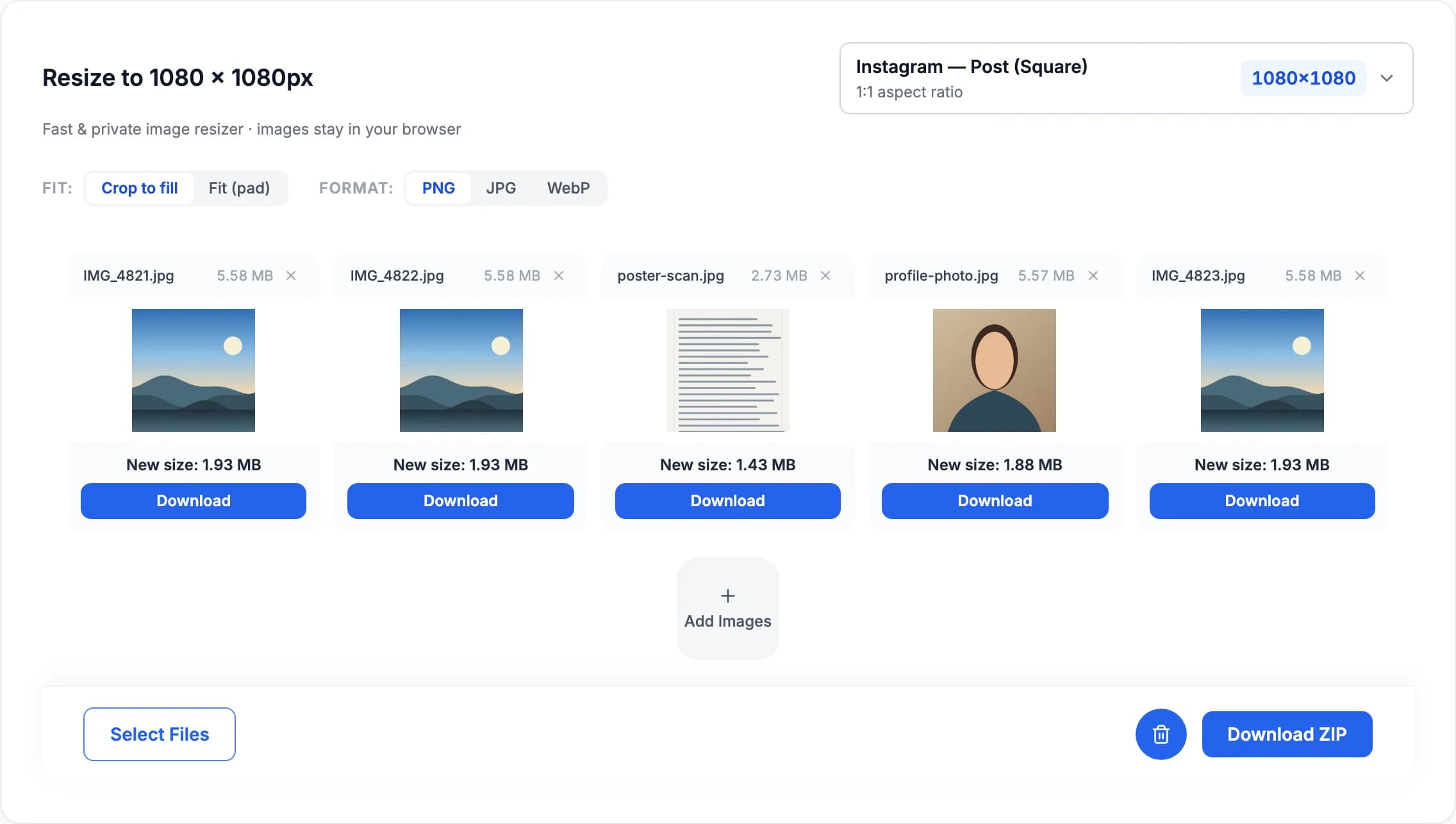
Drop photos in, pick Crop to fill or Fit, and each file is resampled to exact pixel dimensions locally — then downloaded individually or as a single ZIP.
Our online image resizer makes it effortless to prepare visuals for social media and web publishing without heavy software.
Select your target platform and asset. The image resizer automatically loads standard pixel dimensions and aspect ratios.
Drop photos into the image resizer. Fast batch processing runs locally on your device without upload delays.
Choose Crop to fill or Fit, select PNG, JPG or WebP, then download resized images individually or as a single ZIP.
Fills every pixel at the selected ratio. The image resizer uses a centered crop, ensuring edge-to-edge coverage.
Keeps the complete image inside the canvas. The image resizer adds clean padding when aspect ratios differ.
This client-side image resizer processes photos directly in your browser. Your images are never uploaded to remote servers or stored in the cloud.
Filter by platform to view standard dimensions and load them into the resizer.
These primary sources cover the platforms that publish stable image specifications. Other entries are maintained as practical presets and are deliberately not described as official requirements.
After checking an image, choose a tool for the change you need. Each tool has a different purpose.
Reduce file size to fit a KB or MB limit. Compression may also reduce pixel dimensions to reach your target.
Change the image file format, such as PNG to JPG or WebP. This is different from converting pixels to print units.
Need to strip or edit EXIF before sharing? Open Metadata Remover to remove GPS, camera data and other hidden fields.
Check pixel width, height, megapixels and aspect ratio instantly for one image or a full batch.
Yes, this online image resizer is 100% free with no limits, watermarks, or account registration required. You can resize unlimited single images or batches directly in your browser.
Crop to fill starts with a centered crop. Move the crop-position sliders and apply the crop to change which part stays in frame. Choose Fit (pad) to preserve the full image with padding.
Yes. As a batch image resizer, you can add multiple browser-supported images at once, apply your target preset dimensions, and download individual files or a single ZIP archive.
A browser-based image resizer keeps your photos completely private on your own device. Because images are processed locally using Canvas API, the image resizer is fast, secure, and does not upload your files to any remote server.
PNG preserves transparency and is ideal for graphics and logos. JPG is usually smaller for photos, but transparent areas are placed on white because JPEG has no alpha channel.
The source section identifies dimensions checked against stable first-party platform documentation. Other entries are practical presets verified to work reliably across modern screens.
Batch resize photos to custom dimensions or social media presets right in your browser. 100% private, zero uploads, no quality loss.