01
Set the target size
Select a KB/MB preset or a target in the upload-limit library below.
A fast, private online image compressor. Shrink photos to any target file size from 1KB to 20MB for portals, forms, or email - in batches, and 100% locally in your browser.
Output is optimized JPG. Transparent areas are placed on white.
Drop images here, or click to choose files
Free Image Compressor is a private, in-browser tool that shrinks photos and graphics to any target file size you choose. Unlike cloud services that upload your files to a remote server, it decodes, re-encodes and resizes every picture directly on your device, so your photos never leave your computer or phone.
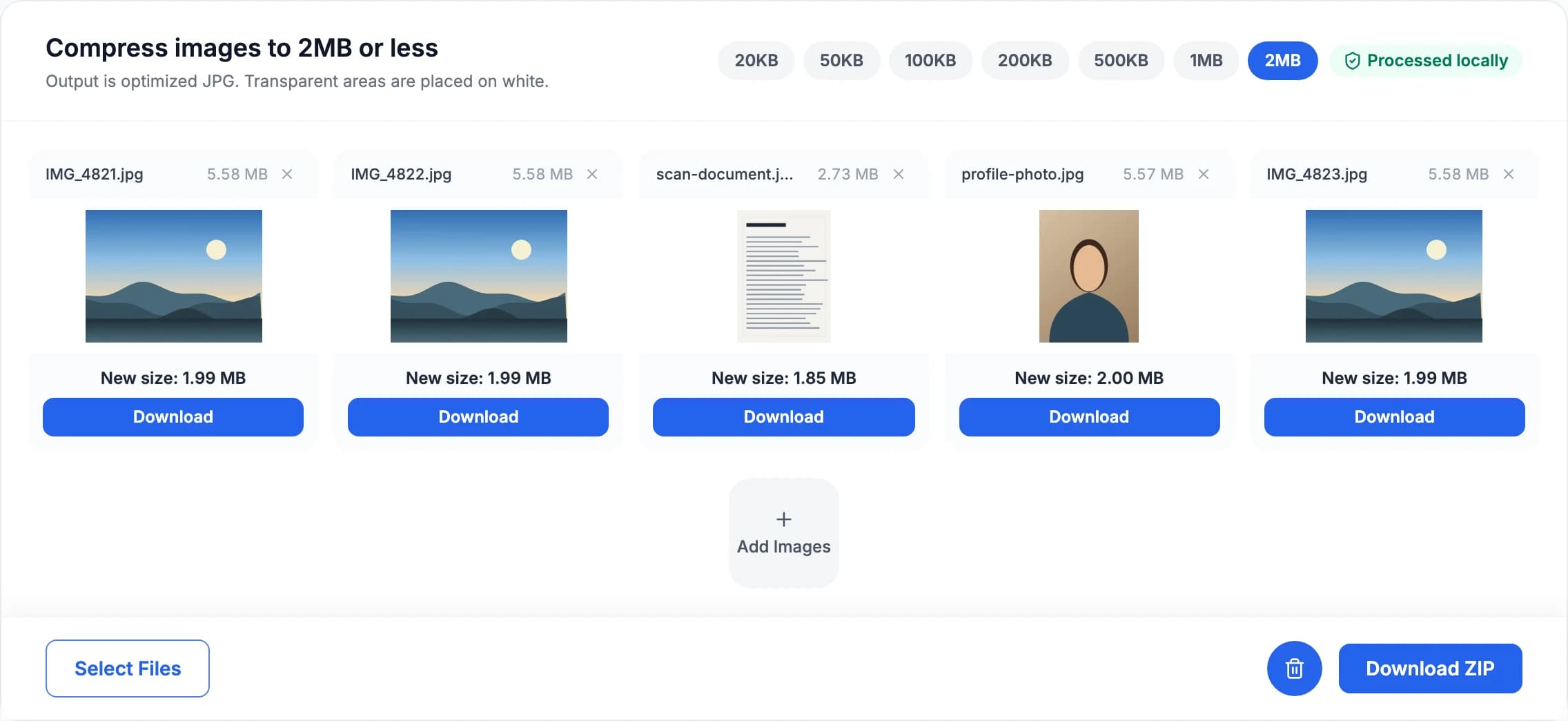
Pick a target size, drop a batch in, and every file is reduced to just under the limit on your own device - then download them one by one or all at once as a single ZIP.
Your images never leave your computer or phone. Files are decoded and optimized directly in local browser memory, keeping passport scans, ID photos and private documents strictly confidential.
Compress multiple photos or whole folders at once. Drop a batch in to apply one shared limit, switch targets to re-compress everything instantly, and download files individually or as a single ZIP.
Hit the exact upload limit any web portal asks for. The image compressor ships one-click presets for 20KB, 50KB, 100KB, 200KB, 500KB, 1MB and 2MB, plus custom targets up to 20MB for online forms, exams and email.
Learn how our in-browser image compressor balances JPEG quality and dimensions in our guide on How the Image Compressor works.
Reduce your photos to a target size in three easy steps, entirely in your browser:
Select a KB/MB preset or a target in the upload-limit library below.
Drop a single photo or an entire batch. Processing begins locally, with zero server uploads.
Review the output file sizes and any dimension changes, then save JPG files individually or as a ZIP.
The image compressor works on raw pixels in your browser, turning any supported graphics format into an optimized JPG.
Decoded locally inside your browser
One target format, tuned to your size limit
Universally accepted by upload forms, exam portals and email clients. Quality is chosen per image, as high as the size limit allows.
Pixel dimensions stay untouched whenever quality alone can reach the target. Tight limits on large photos trigger progressive downscaling.
Every completed file in the batch is packed into a single ZIP archive, assembled in browser memory rather than on a server.
Re-encoding from raw pixels drops EXIF, GPS, IPTC and XMP — useful before sending a photo to a portal you do not control.
The image compressor accepts any target you need. Follow your destination portal’s stated limit, or use these recommended ranges:
20-50KB
Legacy portals, signatures and tiny profile images. Expect visible detail loss on large photos.
100-200KB
A practical range for application photos, web forms and document portals.
300-500KB
Useful when a portal allows more detail or the image contains text and fine edges.
1-2MB
Reduces large camera images while retaining more resolution for normal viewing.
Your limit decides how many pixels it can afford at a sensible bits-per-pixel. Squeezing a 12MP photo into 100KB looks far worse than spending that 100KB on a 1MP version of it.
MozJPEG needs 25-30% fewer bytes than standard encoders for the same picture, and that saving is spent on a higher quality setting rather than a smaller file.
If even the smallest usable output stays above the target, the result area says so and hands you that file rather than claiming success.
Need a smaller file without switching to JPG? Use the Image Converter to re-encode into WebP or AVIF instead - both preserve transparency and are significantly smaller than PNG at the same visual quality.
Every quality search, every dimension recalculation and the ZIP archive itself are produced strictly inside this browser tab. Open your browser’s Network panel while the image compressor runs: you will see zero image uploads. Speed and practical batch size depend only on your device’s memory.
Choose the limit stated by your upload form. Each preset opens this same tool with the target applied; you can also enter a custom limit. Output is JPG, and very small limits may require fewer pixels.
After checking an image, choose a tool for the change you need. Each tool has a different purpose.
Change the image file format, such as PNG to JPG or WebP. This is different from converting pixels to print units.
Change pixel width and height for a website, print layout or social media preset. Enlarging an image does not restore missing detail.
Need to strip or edit EXIF before sharing? Open Metadata Remover to remove GPS, camera data and other hidden fields.
Check pixel width, height, megapixels and aspect ratio instantly for one image or a full batch.
It targets a result at or below the maximum you select, and avoids padding the file just to hit an exact byte count.
The tool first searches for the highest JPEG quality that fits your target. If quality alone is not enough, it progressively scales down pixel dimensions so the photo stays clean rather than blocky.
The output is an optimized JPG. Because JPEG has no alpha channel, transparent areas are rendered on a white background.
Yes. The image compressor applies your target to every file at once. Download the results individually, or export the whole batch as a single ZIP archive.
No. This image compressor decodes, resizes and encodes files entirely inside your browser. Your photos are never sent to an external server or to cloud storage.
Anything your browser can decode: JPG, PNG, WebP, GIF, BMP, AVIF and SVG. iPhone HEIC photos decode natively only in Safari, so on other browsers convert them to JPG with the Image Converter first.
No. Re-encoding from raw pixels strips EXIF, GPS, IPTC and XMP, which protects your location data and shaves a little more off the file size.
When even the smallest usable output stays above your limit, the image compressor says so plainly and hands you that file rather than claiming success.
Batch compress photos to any KB or MB limit right in your browser. 100% private, zero uploads, no watermarks.