Access after an action
The default right-click path uses Chrome’s temporary activeTab permission. It does not require standing access to every website.
AN INDEPENDENT CHROME IMAGE VIEWER
Keep zoom, rotate and flip close at hand. Add image dimensions and JPEG EXIF to your everyday viewing workflow.
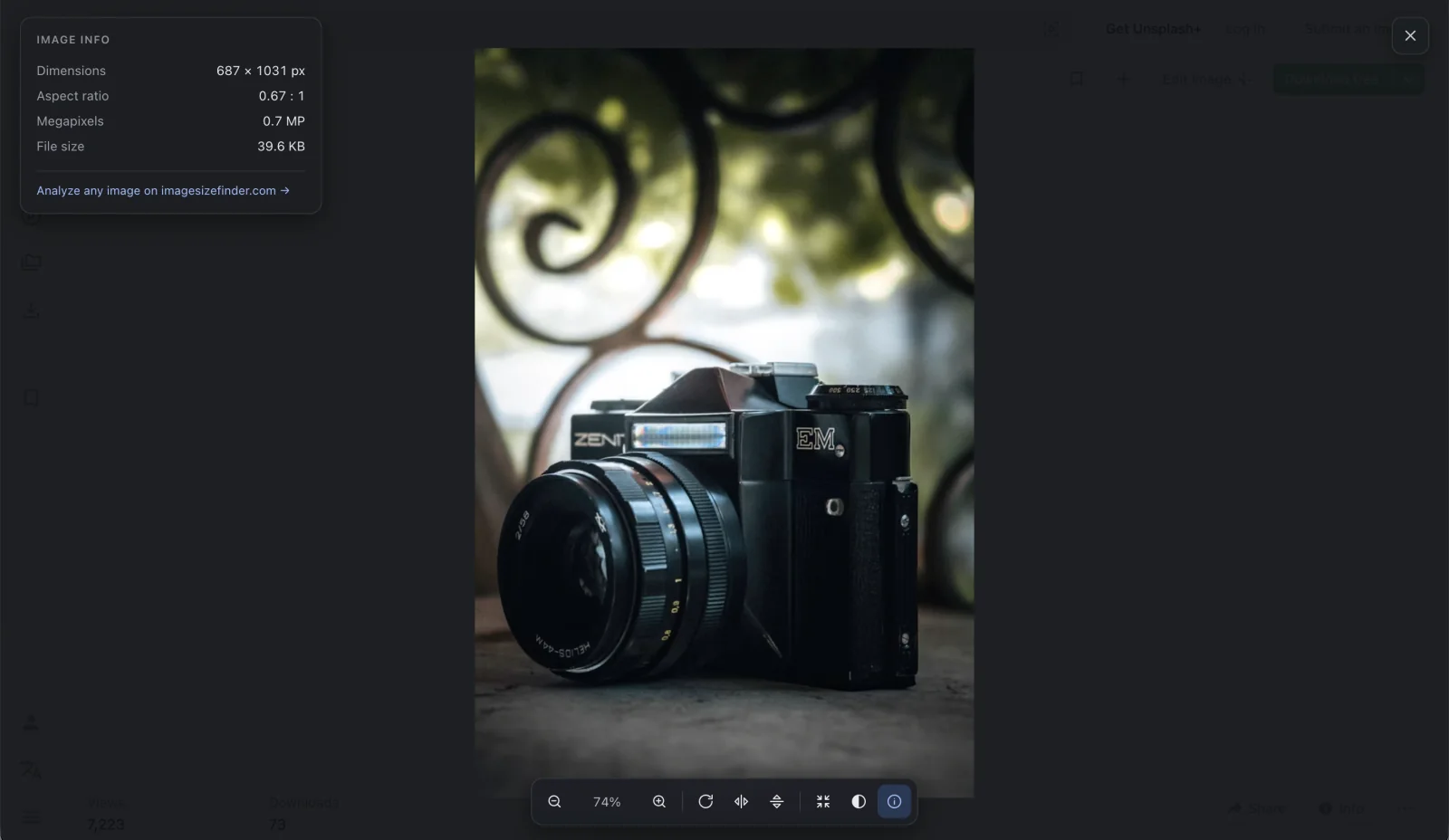
Image Viewer & Size Finder is an independently developed Chrome image viewer. Start with your daily tasks, then check the access each feature needs.
| Your viewing task | Image Viewer & Size Finder | What to know |
|---|---|---|
| Zoom and pan | Mouse-wheel zoom and drag-to-pan | Open from an image’s right-click menu |
| Rotate and flip | Toolbar controls and keyboard shortcuts | Changes affect the view, not the original file |
| Check image size | Dimensions, aspect ratio and available file size | Some source data is blocked by cross-origin rules |
| Inspect JPEG EXIF | Camera, exposure and capture time | JPEG metadata only; source must be readable |
| Open with one click | Optional setting | Requires optional broad website access |
| Edit or convert the image | Use the companion website | The extension itself is a viewer, not a full photo editor |
This is a checklist of this extension’s current capabilities, not an audited feature or security comparison of other extensions.
Keep the transition simple. Review the old extension, choose your replacement and check access.
Open chrome://extensions. Check the name, publisher and ID, along with any warning Chrome shows. Remove an extension you no longer want to use.
Read the current listing, privacy policy and permissions. Install from the publisher’s official store listing when available.
Open an image on a supported page and try zoom, rotate and the information panel. Enable click-to-open only if you want it.
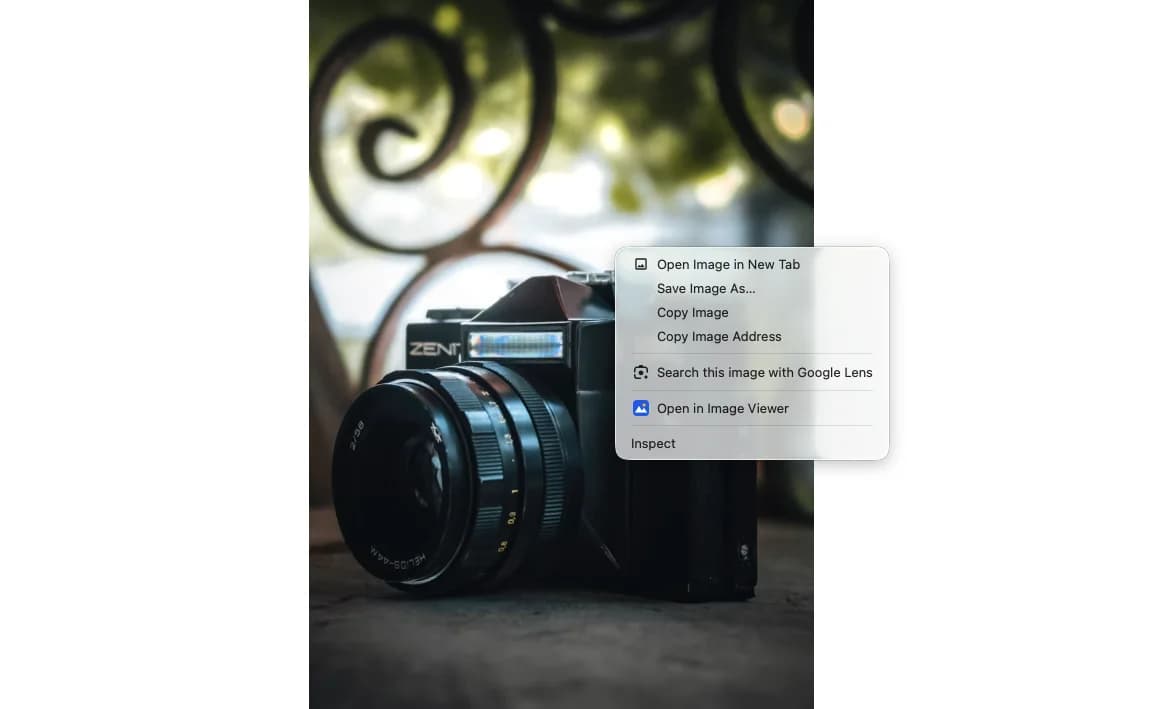
A useful Enhanced Image Viewer alternative should be clear about when it can access a page and what happens to the image.
The default right-click path uses Chrome’s temporary activeTab permission. It does not require standing access to every website.
Click-to-open asks for broad site access when you enable it. Turning it off revokes that permission.
JPEG metadata is parsed locally. There is no extension telemetry, and no image upload for analysis. Reading the source image can still involve a request.
If Enhanced Image Viewer is missing from the store or Chrome has disabled your copy, check the live listing and Chrome’s own notice. Availability alone does not establish the reason for a removal or prove a specific security allegation.
gefiaaeadjbmhjndnhedfccdjjlgjhhoImage Viewer & Size Finder is not the original extension, an official successor or a repackaged build. We have not independently reproduced third-party allegations about the old extension.
Choose this extension for zoom, rotate, flip, image dimensions and available JPEG EXIF on supported web pages.
Explore Image Viewer & Size FinderUse the website for local files or more metadata formats without installing a browser extension.
Try the image analyzerIf layers, retouching or non-destructive editing are essential, compare dedicated editors instead of expecting those features from a viewer.
Browse image toolsImage Viewer & Size Finder is one option for zooming, panning, rotating and flipping web images. It adds image dimensions, available file size and JPEG EXIF, with a right-click default that does not require standing host permissions.
No. It is independently developed and is not the original extension, an official successor or a repackaged version. The product names describe different extensions.
Check its current Chrome Web Store listing and the notice in chrome://extensions. We cannot establish a specific removal reason from a missing listing alone. Chrome’s official help explains how to review disabled or unsupported extensions.
No automatic import is provided. Choose your preferred background, language and information-panel setting in Image Viewer & Size Finder after installation.
Not for its default right-click workflow. Chrome grants temporary activeTab access after you invoke the extension. The optional click-to-open mode requests broad site access separately, and you can revoke it.
Yes. The companion online image analyzer checks local image dimensions, file size and metadata in your browser. It works independently of the extension and is available while the store release is pending.
Use the viewer on a web page, then choose the right browser-based tool for the next step.
A focused Chrome image viewer for the details that matter, from the first right-click to the final pixel.